
Every KAZZYLEN product comes with a licence key. This page explains, in everyday words, what that key is, how to use it, and what to do when something does not go to plan.
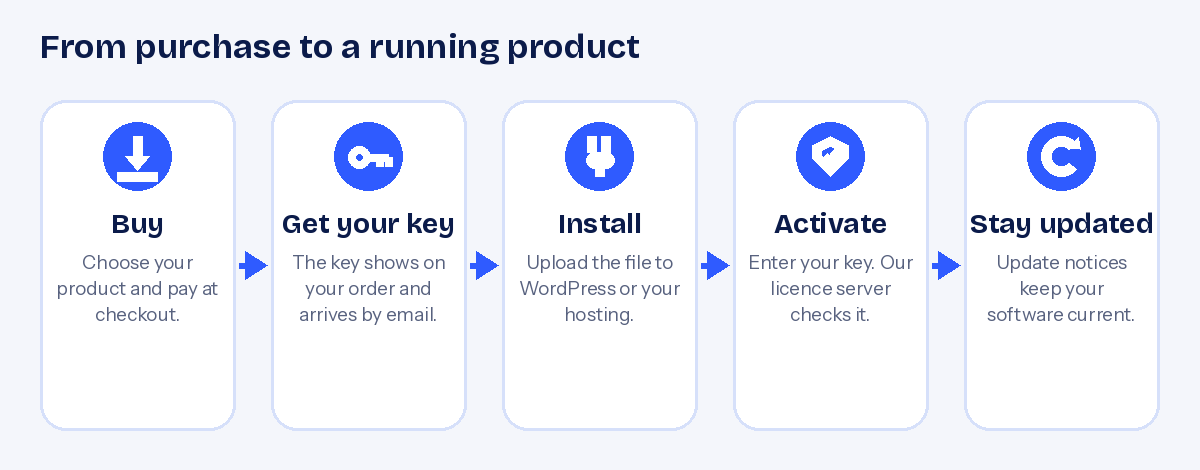
You buy a product. You get a file and a key. You install the file, type in the key, and the product switches on. The key is checked against our licence server, and it only works for the product it was made for.
What is a licence key?
A licence key is a code that looks like this:
KZL-XXXXX-XXXXX-XXXXX-XXXXX
Think of it as a personal ticket. When you enter it, the product asks our licence server, “Is this a real key, and is it meant for me?” If the answer is yes, the product activates. If you ever buy a second product, you get a second key. Keys are never shared between different products.
Step by step
- Buy your product
Add it to your cart and check out. You can pay in your own currency.
- Find your key
It is shown on your order confirmation page and sent to you by email. It is also saved in your account.
- Download and install
Download the file from your account. WordPress plugins are uploaded under Plugins, Add New. Scripts are uploaded to your hosting and set up with their installer.
- Enter your key
Open the product’s licence page or installer step, paste your key, and press Activate.
- Keep going
Your product can now check for updates. When a new version is ready, you will see a notice.
What your key does and does not do
It does
Switch on the product you bought, allow update checks, and prove that you are a genuine customer when you ask for support.
It does not
Work for a different product, or on more websites than your licence allows. The number of websites is shown on each product page.
It never
Gives us access to your website content or your customers’ data. Activation only confirms the key and the website address.
Websites, test sites and moving house
When you activate, the product tells our server the address of your website. That is how we count how many websites a key is used on.
- Test and development addresses such as localhost or a staging copy are treated separately, so you can build and test without using up a slot.
- Moving to a new domain or new hosting? Deactivate the product on the old site first if you can, then activate it on the new one. A small number of free moves is allowed. If you need more, or your old site no longer exists, contact us and we will help.
We have a full guide: how to move your licence to a new website address.
Updates
Updates add features, fix problems and keep your software safe. Your licence is what allows your product to receive them. How long update access lasts is set per product and shown on its page. When your update period ends, the product keeps working, but you will not receive new versions until you renew.
If something is not right
| What you see | What it usually means | What to do |
|---|---|---|
| “Licence key is not valid for this product” | The key was typed wrongly, has a space in it, or belongs to a different product. | Copy it again from your order. Check the product name matches. |
| “Maximum number of domains reached” | The key is already active on as many websites as your licence allows. | Deactivate it on a site you no longer use, or contact us. |
| “Your server clock is out of sync” | The date or time on your hosting is wrong, so the secure check fails. | Ask your host to correct the server time. |
| “Could not reach the licence server” | Your hosting is blocking outgoing connections, or the internet was briefly down. | Try again in a few minutes. If it continues, ask your host to allow outgoing connections. |
| “Licence suspended” or “revoked” | There was a payment problem or a refund on the order. | Contact us with your order number. |
Products are designed to warn you first and give you time to fix a licence problem. They do not break your website without notice.
Keeping your key safe
- Treat your key like a password. Do not post it in public forums or screenshots.
- Keep the order email. Your key is also stored in your account.
- Never buy keys from someone else. Only keys from KAZZYLEN or an approved distributor will work.
Bought through a distributor?
Some customers buy our products from an approved distributor’s store. The key you receive works in exactly the same way. Activate it in the product, and contact the store you bought from for order questions. You are also welcome to contact us.
Still have a question?
Check the frequently asked questions or write to us on the contact page. Please include your order number and the name of the product so we can help faster.


