
Description
PawaPay for WooCommerce – Accept Mobile Money Payments on Your Store
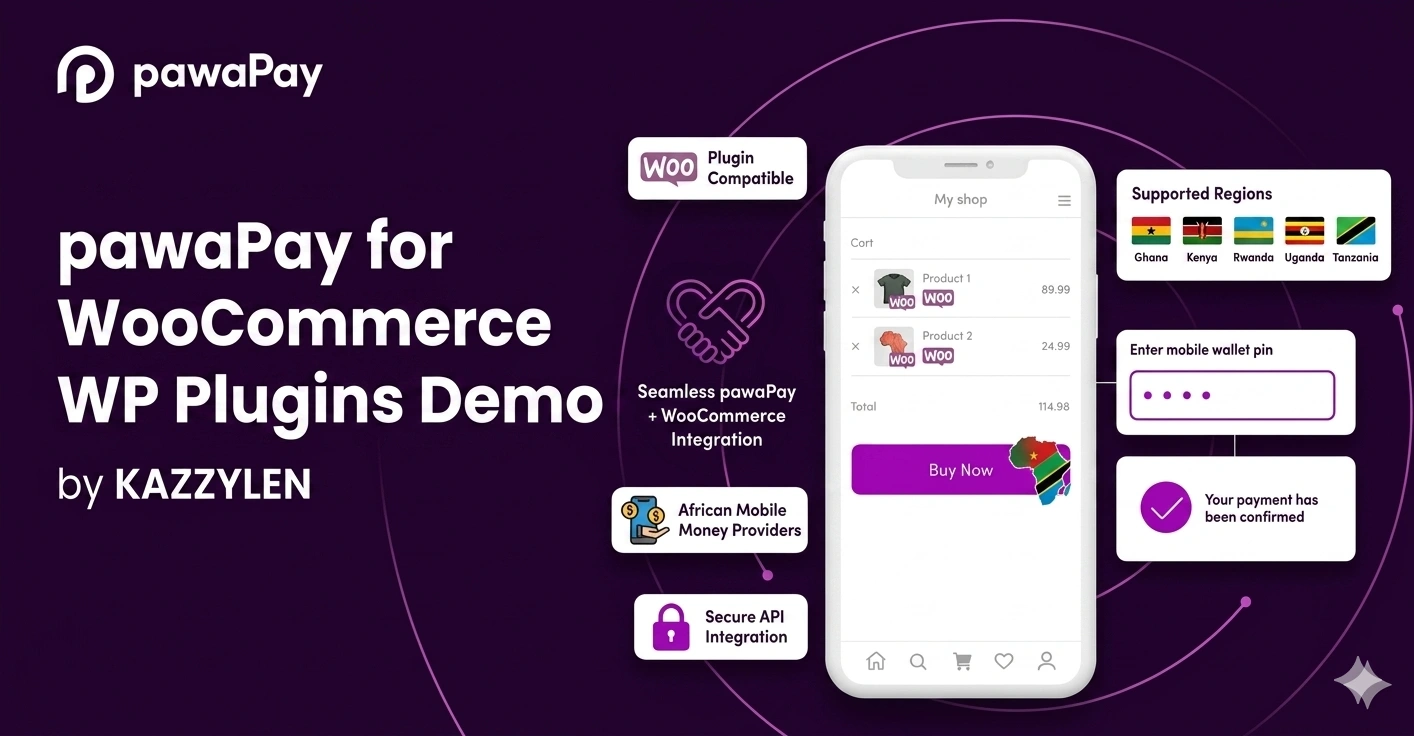
Make mobile money payments simple and convenient for your customers with PawaPay for WooCommerce.
This plugin integrates PawaPay into your WooCommerce checkout, allowing customers to pay using popular mobile money networks such as MTN MoMo, Airtel Money, M-Pesa, Orange Money, and other networks supported by PawaPay.
Instead of handling payments manually, customers are redirected to PawaPay’s secure hosted payment page to complete their transactions. Once payment is confirmed, your WooCommerce order is automatically updated.
You can also monitor payment activity, review transaction events, and process full or partial refunds directly from your WooCommerce order screen.
Whether you operate an online store serving one country or multiple supported markets, PawaPay for WooCommerce gives you the tools to manage mobile money payments efficiently.
Key Features of PawaPay for WooCommerce
1. Seamless Mobile Money Checkout
Give your customers a convenient way to pay for their orders using mobile money.
- Dedicated Mobile Money payment option at checkout.
- Supports WooCommerce Cart and Checkout Blocks.
- Compatible with the classic WooCommerce checkout.
- Live payment status page.
- Automatic WooCommerce order updates after payment confirmation.
- Clear payment failure messages to help customers understand unsuccessful transactions.
2. Multiple Mobile Money Networks
Accept payments through popular mobile money providers supported by PawaPay.
Supported networks include:
- MTN Mobile Money (MoMo).
- Airtel Money.
- M-Pesa.
- Orange Money.
- Additional mobile money networks supported by PawaPay.
Network availability depends on the supported country and PawaPay merchant configuration.
3. Country and Currency Support
Configure where your customers can use the PawaPay payment gateway.
- Configure approved countries.
- Support accepted currencies.
- Automatically hide the payment method in unsupported countries.
- Validate country and phone number details during checkout.
- Check country eligibility before allowing payment.
4. Complete Order and Refund Management
Manage payment activity directly from your WooCommerce administration dashboard.
- Automatic order status updates.
- Order notes for every payment event.
- Support for full refunds.
- Support for partial refunds.
- Refund status tracking.
- Process refunds directly from the WooCommerce order screen.
Keep your payment records organized without needing to manage every transaction separately through an external dashboard.
5. Flexible Checkout Customization
Customize how the PawaPay payment option appears to your customers.
- Custom checkout payment title.
- Custom checkout description.
- Configure the store name displayed on the PawaPay payment page.
- English and French payment page support.
- Option to send customer email addresses to PawaPay.
- Live checkout preview to review your configuration.
6. Store Dashboard and Payment Monitoring
Get useful payment information and configuration tools directly inside your WordPress dashboard.
- Setup health overview.
- 30-day paid, waiting, and failed order statistics.
- PawaPay balance widget.
- Copy-and-paste callback URL configuration.
- Last callback received information.
- Step-by-step setup guide.
Monitor your payment integration and quickly identify important configuration or payment activity information.
7. WooCommerce Compatibility
PawaPay for WooCommerce supports important WooCommerce checkout and storage features.
Compatible with:
- WooCommerce High-Performance Order Storage (HPOS).
- WooCommerce Cart Blocks.
- WooCommerce Checkout Blocks.
- Classic WooCommerce Checkout.
8. Payment Security
Protect your payment workflow with verification and secure payment handling.
- Payment confirmations are verified directly with PawaPay.
- Refunds are verified directly with PawaPay.
- Customers complete payments through PawaPay’s secure HTTPS-hosted payment page.
- API tokens are not displayed again after being saved.
- Protected administrative actions.
Sandbox Testing and License Information
You can test your PawaPay integration using the sandbox environment for free before accepting live payments.
Sandbox Mode
- Free sandbox testing.
- Test your payment integration before going live.
Live Mode and Licensing
An active license is required to enable live payment mode and access the Markets settings.
Your license also includes:
- Plugin updates.
- Technical support.
- Access to licensed features.
Important: Payment confirmations and refunds are never blocked by the license. Licensing restrictions do not interfere with these payment operations.
System Requirements
Before installing PawaPay for WooCommerce, make sure your website meets the following requirements:
- WordPress 6.3 or newer.
- PHP 8.0 or newer.
- WooCommerce 5.0 or newer.
- An active PawaPay Merchant Account.
Why Choose PawaPay for WooCommerce?
PawaPay for WooCommerce makes it easier to accept mobile money payments while keeping your payment management inside WordPress.
From multiple mobile money networks and automatic order updates to refund management and payment monitoring, the plugin provides the essential tools to manage your store’s mobile money payment workflow.
Start accepting mobile money payments on your WooCommerce store with PawaPay.
Supported Countries & Currencies
Ghana — GHS
MTN Mobile Money, AirtelTigo Money
Kenya — KES
Safaricom M-Pesa, Airtel Money
Rwanda — RWF
MTN Mobile Money, Airtel Money
Uganda — UGX
MTN Mobile Money, Airtel Money
Tanzania — TZS
Vodacom M-Pesa, Airtel Money
Zambia — ZMW
MTN Mobile Money, Airtel Money
Benin — XOF
MTN Mobile Money, Moov Money
Ivory Coast — XOF
Orange Money, MTN Mobile Money
Senegal — XOF
Orange Money, Free Money
Burkina Faso — XOF
Orange Money, Moov Money
Cameroon — XAF
MTN Mobile Money, Orange Money
DR Congo — CDF
Airtel Money, Orange Money
Malawi — MWK
Airtel Money, TNM Mpamba
Sierra Leone — SLE
Orange Money, Africell Money
Mali — XOF
Orange Money
Niger — XOF
Orange Money
Togo — XOF
Moov Money





Reviews
There are no reviews yet